Files (JSON & CSV) — Class Notes
Try me


Introduction
Motivation
Understand how code reads, writes, and interacts with data files.
From basic text files to formats like JSON and CSV, designed and optimized for data exchange (readable by both humans and machines).
Crucial for many applications: everything in computing comes back to storage
Objectives
Understand file handling basics in Python (opening, reading, writing, closing).
Understand the structure and use cases of JSON and CSV formats.
Learn how to read and write JSON and CSV files using Python’s built-in libraries.
Intro for non-programmers (I)
Fundamentally, a file is just a collection of bytes stored on a disk (waiting for us to give them meaning).
Files can store different types of data: text, images, videos, etc, and information needs to be transformed into bytes (that is, information needs to be encoded).
UTF-8 is the most common encoding for text files (just a set of rules to dictate how bytes and back).
Line breaks and the end of the file are encoded as special characters (e.g.,
\nfor new line,EOFfor end of file).When programs read and write files, they are just reading a sequence of bytes, until the hit that special
EOFcharacter.
Intro for non-programmers (II)
A file system is just a way to organize and store files on a disk (folders/directories, paths, etc).
The file path is just the location of a file in the file system (e.g.,
C:\Users\Alice\Documents\file.txtin Windows, or/home/alice/documents/file.txtin Linux/Mac).Programs need to know the file path to read or write a file.
Relative paths are relative to the current working directory where your script (a relative path is telling the program “look for the file from exactly where we are).
Absolute paths go all the way back to the root of the file system.
Agenda
Intro and agenda (15 min)
File handling basics (15 min)
JSON format and handling (15 min)
CSV format and handling (20 min)
Code cards (5 min)
wrap-up (5 min)
Hand-on assignment (30 min)
A0) Setup (helpers)
[ ]:
from io import StringIO
import json, csv
A0.1) File fundamentals
Text files: UTF-8 encoding (default in Python 3).
Open a file with
open(filename, mode).`
filename: string with the file path.mode: string with the mode to open the file (safety mechanism, your way to tell the operating system what you are planning to do).
Character |
Meaning |
|---|---|
‘r’ |
open for reading (default) |
‘w’ |
open for writing, truncating the file first |
‘x’ |
open for exclusive creation, failing if the file already exists |
‘a’ |
open for writing, appending to the end of file if it exists |
‘b’ |
binary mode |
‘+’ |
open for updating (reading and writing) |
Python Mechanicss
openfunction is like a gateway to the file. It returns a file object that you can use to read from or write to the file.Mechanics are very elegant:
file.write(string)to write text strings to a file.file.readline()reads a single line from the file. If used on a loop, you will know when the file ends when it returns an empty string.file.readlines()reads all lines from the file and returns them as a listIf you do not use
file.close(), the file will remain open, blocking other programs from accessing it, and potentially causing data loss. You must use it always unless…You use
with open(...) as file:, which automatically closes the file when you exit the block.
[ ]:
# Example 1: Read input from user and write to a file
with open("example.txt", 'a') as f:
  while True:
    line = input("Write something to append to the list or click Enter to exit")
    if line:
      f.write(line + "\n")  # Append newline ("\n") is the new line character
    else:
      break

# What happens if you already have example.txt? Try changing the mode to 'w', 'x' or 'a'!
How to find files in your file system (Colab/Local)
In Colab, click the folder icon 📁 on the left panel to open the file explorer:
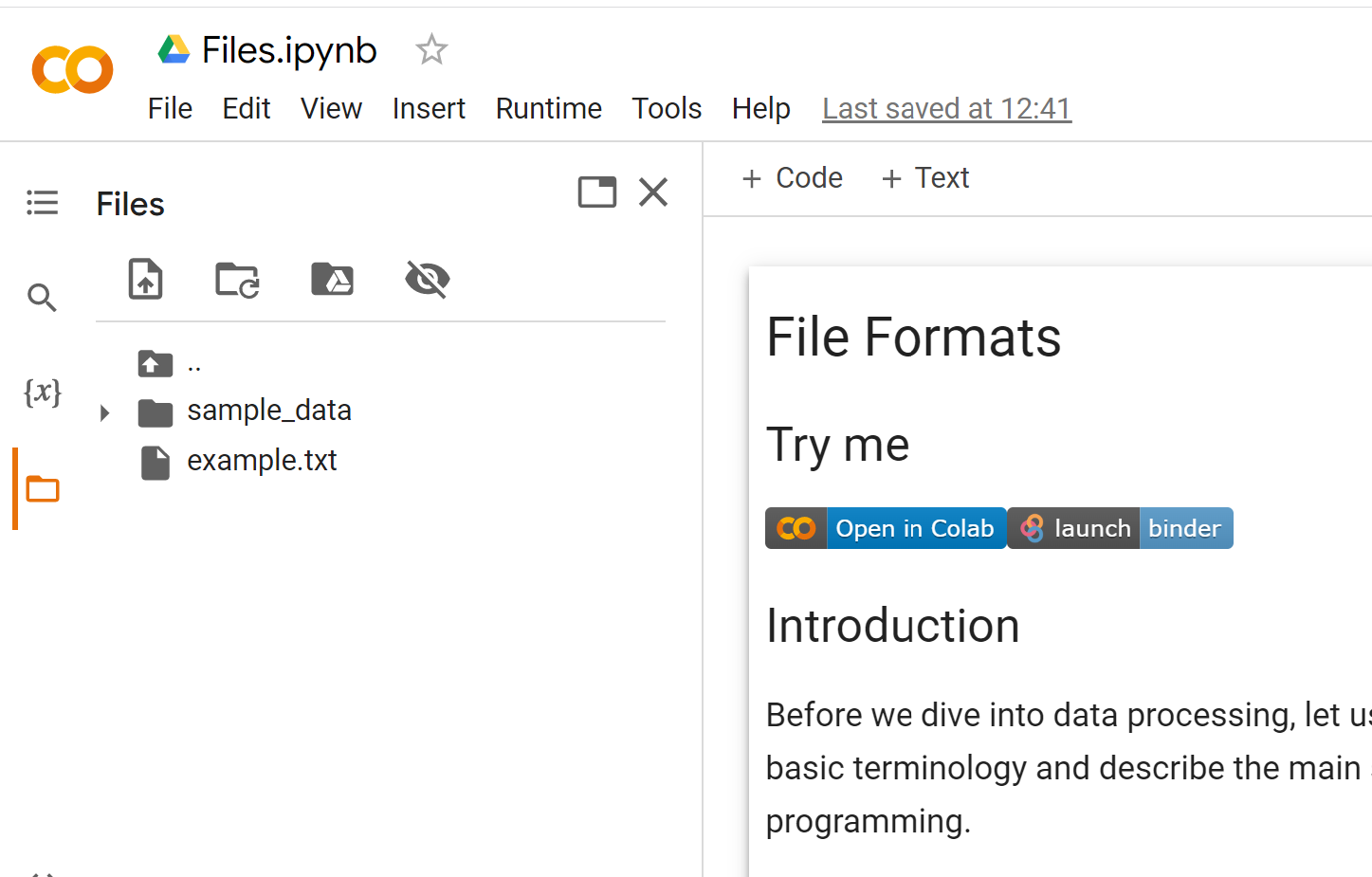
In local, you will find files in the directory where you started your Python script.
If you want to write files to a specific directory, you need to provide the full or relative path (check the tutorial).
[ ]:
# Example 2: Read lines from a file
with open("example.txt", "r", encoding="utf-8") as f:
    lines = f.readlines()
    for line in lines:
        print(line)
A1) JSON fundamentals
Structured format that pretty much every programming language can understand.
S in JSON stands for serialization (transformming an object into a format that can be stored or transmiited)
This makes JSON great for data exchange between different systems, plus it’s human-readable.
As a Python developer, think of a JSON file as a nested combination of dicts and lists.
Same notation as Python dicts/lists, (double quotes for strings).
json.dumps/json.dumpandjson.loads/json.load.
[ ]:
# Example 3: Write and read JSON files
student = {
    "id": 101,
    "name": "Peter Parker",
    "email": "pete@oscorp.com",
    "enrolled": True,
    "courses": [{"code": "CS101", "grade": 9.5}, {"code": "CS102", "grade": 8.75}],
    "note": "Uses unicode: café ☕"
}
student_file = open("student_101.json", "w") # Opens file for writing
json.dump(student, student_file)
student_file.close()
## Check file content in file system (colab icon on left panel)
[ ]:
# Example 4: Read JSON file
with open("student_101.json", "r") as student_file:
    loaded_student = json.load(student_file)
    if loaded_student["courses"][0]["code"] == "CS101":
        print("Loaded OK.")
A2) CSV fundamentals
Comma-Separated Values (CSV): text (UTF-8) for tables (rows, columns).
Each row is a line; each cell separated by commas (or other delimiter)
TAB delimiter
\tis also common (TSV files): Really handy (copy and paste from spreadsheets).Example:
DATE, TIME, TEMPERATURE, HUMIDITY
2022-08-31, 00:15, 25.5, 65
2022-08-31, 00:30, 25.7, 66
2022-08-31, 00:45, 25.9, 67
2022-08-31, 01:00, 25.7, 66
2022-08-31, 01:15, 25.5, 65
Use Python’s built-in
csvmodule to read and write CSV files.Hides the complexity of commas in text, quoting, etc.
Important: Use
newline=''when writing CSV files to avoid extra blank lines on some platforms (Windows).
[ ]:
rows = [
    ["id","name","comment","score"],
    [1, "Alan Turing", "loves, commas", 10],
    [2, "Grace Hopper", "quotes \"are\" fine", 9.5],
]

with open("CS_101.csv", "w", newline='', encoding="utf-8") as csvfile:
    writer = csv.writer(csvfile) # Default delimiter is comma, use delimiter=';' for semicolon or '\t' for tab
    writer.writerows(rows)
[ ]:
with open("CS_101.csv", "r") as csvfile:
    reader = csv.reader(csvfile)
    for row in reader:
        print(row)
Code Cards
Card F1 - Modes Find the bug in this code:
with open("data.txt", "r") as f:
    f.write("Hello, World!")
Card F2 - Predict the output
Given the following CSV file content people.csv:
name,age,city
Marc,30,New York
Eve,25,Los Angeles
What is the output of this code?
with open("people.csv", "r") as csvfile:
    reader = csv.reader(csvfile)
    for row in reader:
        if (row["name"] == "Eve"):
            print(row["age"])
Code card J1 - Find the bug
What is wrong with this JSON string? json {"name": "Alan Turing", "age": 41, }
Card J2 - Non-serializable object
What is wrong with this code?
data = {"s": {1,2,3}}
data_file = open("data.json", "w")
json.dump(data, data_file)
[ ]:
data = {"s": {1,2,3}}
json_str = json.dumps(data)
Card J3 - Predict the result
What is the output of this code?
data = {"name": "Peter Parker", "age": 21, "id": "S435B", "courses": ["CS101", "CS102"]}
data_file = open("data.json", "w")
json.dump(data, data_file)
data_file.close()
with open("data.json", "r") as f:
    loaded_data = json.load(f)
    print(loaded_data["courses"][1])
Takeaways
JSON: great for nested data; ensure valid JSON (no comments/trailing commas); control with
indent,ensure_ascii.CSV: plain tabular text; be explicit with delimiter/quoting; watch commas in text; use
newline=''on write.